DOWNLOADS
Phone and PC apps plus club firmware, all in one place.
The app is free to install.
Windows 10/11 64-bit (Intel·AMD) or Windows 11 ARM
Bluetooth 4.0 or later (BLE) required
x64 · ARM64 · If Windows shows “Windows protected your PC”, click “More info” → “Run anyway”.
How to log in on PC·TV ↓
Chrome or Edge on a computer (PC/Mac) · USB-A ↔ C cable from the box
Do it once, and future updates come wirelessly through the app.
When you open the PC version, a QR code appears on screen. Scan it with the phone app and you are logged in automatically.
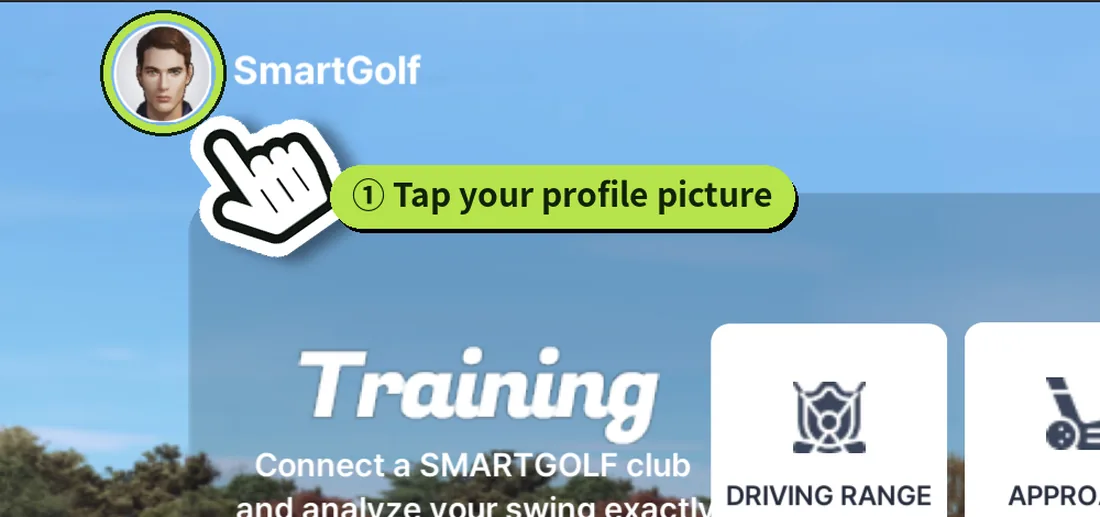
In the phone app, tap your profile picture at the top left.
In the info window, tap PC·TV login.
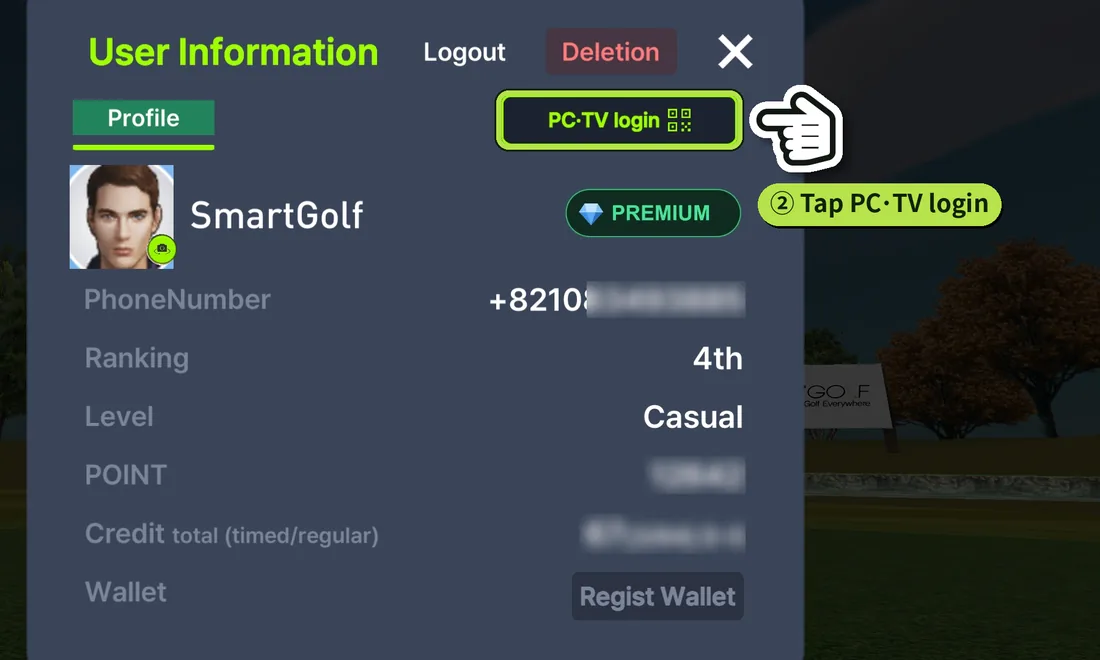
When the camera opens, point it at the QR code on the PC or TV. You are logged in automatically.
